You may want to add notes that go out on all of your invoice PDFs, such as:
- Your bank details
- Your tax ID number
- A special payment address
- Any government required information that is unique to your country or location
- Notes on payment fees or special payment requests
Whatever it is, you can create the notes once, and all invoices will display them.
NOTE: This is a PRO feature. Contact us if you would like to move to the PRO plan.
To set up ...
- On your sidebar, click SYSTEM NOTIFICATIONS > INVOICE NOTES
- If you do not see INVOICE NOTES in your sidebar and you are on the PRO plan, check under NEW FEATURES. You can move it under SYSTEM NOTIFICATIONS by changing its location in SETUP > TASKS. Follow these instructions to do so.
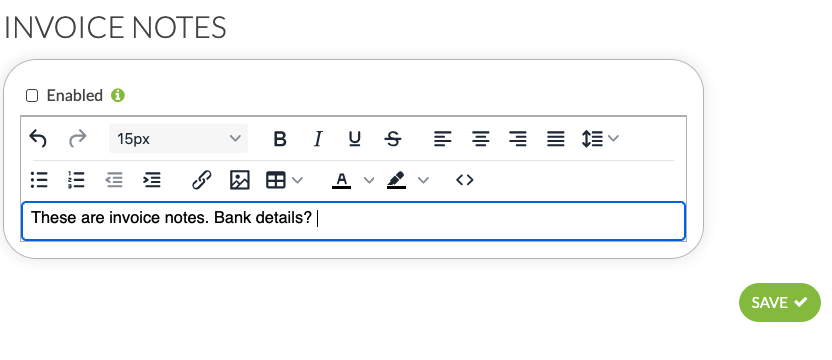
- Add any notes you want to show up on all invoices.
- Click ENABLED.
- SAVE.
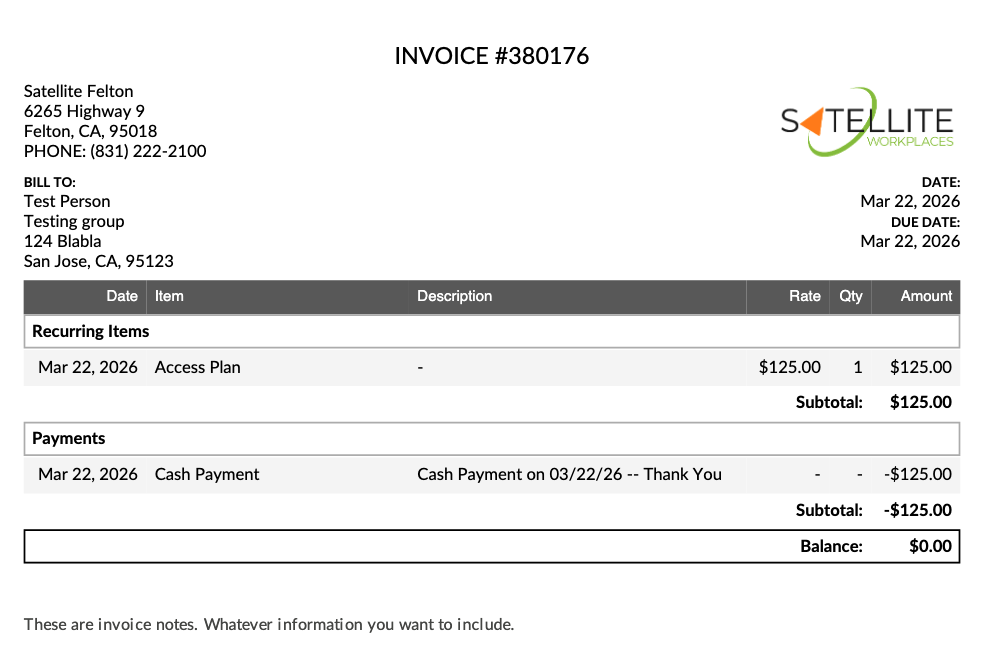
- NOTE: Invoice Notes will be updated to all invoices in real time. You can send a past invoice to someone, and the pdf will carry the Invoice Notes section, even if you set up Invoice Notes after the initial date of the invoice.
Was this article helpful?
That’s Great!
Thank you for your feedback
Sorry! We couldn't be helpful
Thank you for your feedback
Feedback sent
We appreciate your effort and will try to fix the article