Front Desk Check-in includes an optional QR Code Check-in feature that lets visitors use their own phone to check in or out instead of completing the process on the front desk tablet.
When enabled, a QR code appears on the Front Desk Check-in screen. Visitors can scan it with their phone camera or another QR code reader and complete the check-in flow in their mobile browser.
Why Use QR Code Check-in?
QR Code Check-in gives visitors another way to check in without using a shared device. It can be especially useful during busy periods or for guests who prefer to complete the process on their own phone.
Visitors can use the QR code to:
- Check in from their personal device
- Find and notify the member they are visiting
- Check in for a reservation, day pass, tour, or other front desk arrival
- Check out when they leave
Enable QR Code Check-in
QR Code Check-in is enabled by Deskworks Support.
If you are already using Front Desk Check-in, open a support ticket and ask us to enable QR Code Check-in. Once enabled, a QR code will be displayed on your Front Desk Check-in screen for mobile check-in and check-out.
If you’re not already using Front Desk Check-in and would like to get started, contact us for pricing and setup.
How QR Code Check-in Works
1. The Visitor Scans the QR Code
When a visitor arrives, they can scan the QR code displayed on the Front Desk Check-in tablet using their phone camera or another QR code reader.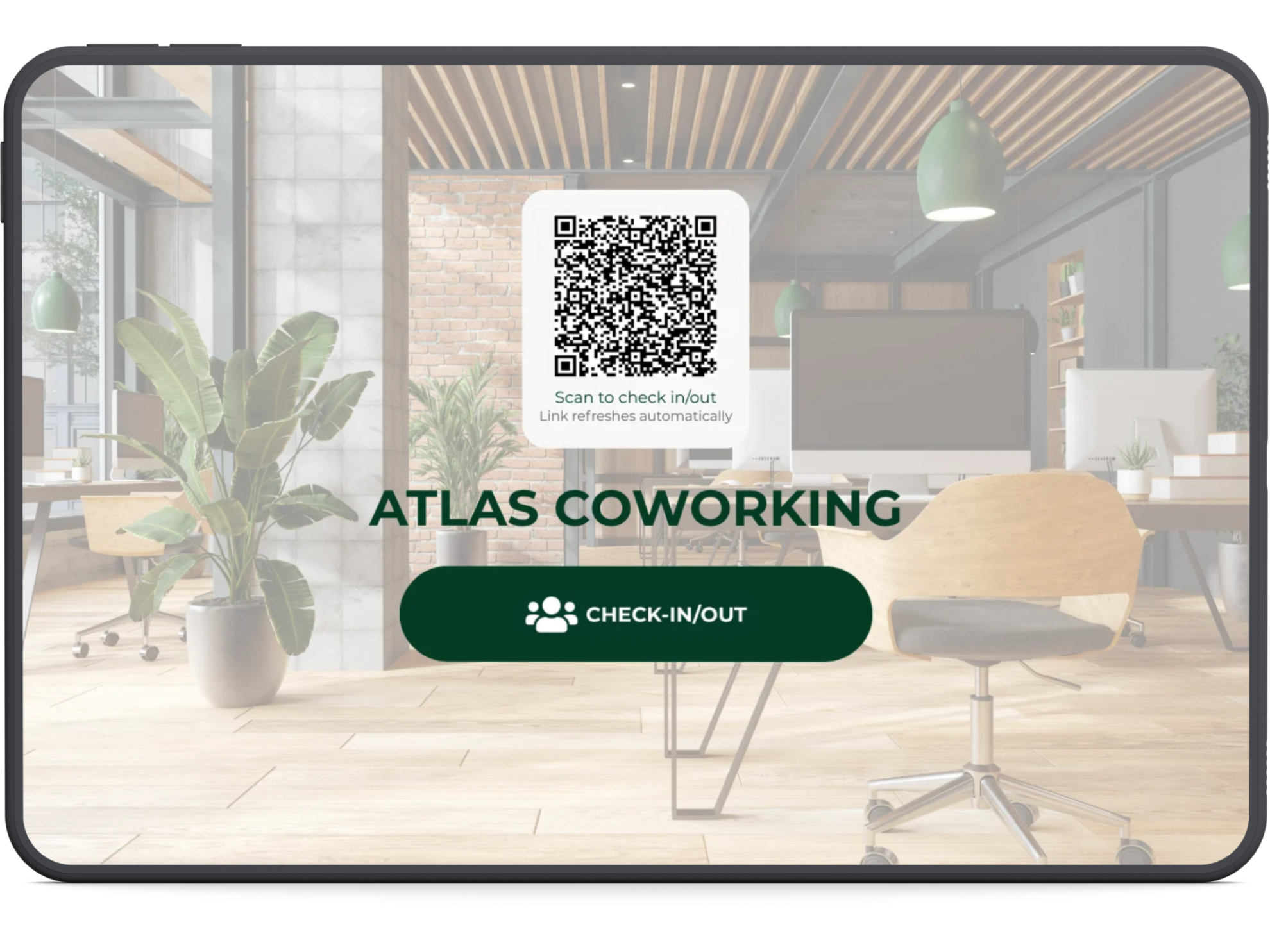
The QR code opens a mobile version of Front Desk Check-in in the browser on their personal device. No app download is required.
2. The Visitor Chooses Who They Are Visiting
The visitor will see the Who are you visiting? screen.
They can begin typing a member's name or company and select the person they are visiting. From there, they can continue through the standard visitor check-in flow and notify the member of their arrival.
3. Visitors Can Skip to Check-in
If the visitor is not there to see a specific member, they can select Skip to Check-in.
This can be used for arrivals such as:
- Reservations
- Day passes
- Tours
- Other visits that should be checked in with the front desk
They can then complete the standard Front Desk Check-in form from their phone.
Using QR Code Check-in With Visitor Pre-Registration
If Visitor Pre-Registration is also enabled for your space, visitors who scan the QR code will first be asked whether they have already been pre-registered.
Pre-registered visitors can find their existing registration and continue checking in without re-entering information that was collected before their visit.
Visitors who were not pre-registered can continue through the standard check-in flow.
Learn more about Visitor Pre-Registration →
Mobile Check-Out
Visitors can also use the QR code to complete check-out from their personal device when they are ready to leave.
QR Code Check-in follows the same Front Desk Check-in workflow you already use, while giving visitors the option to complete it from their own phone.
Was this article helpful?
That’s Great!
Thank you for your feedback
Sorry! We couldn't be helpful
Thank you for your feedback
Feedback sent
We appreciate your effort and will try to fix the article