Initial Integration Request
To begin setup, open a support ticket requesting the Docusign Integration and include the following details:
- Whether you will be connecting an existing Docusign plan or using a Deskworks Envelope Plan
- The email address where you would like to receive the Docusign activation message
Our team will deploy the integration to your site and create your Docusign sub-accounts.
You will have two sub-accounts:
- [Your company name] Demo Sub-Account
- [Your company name] Production Sub-Account
The Demo Sub-Account allows you to test the integration and preview what your contracts and proposals will look like when sent for signature. Envelopes sent from the Demo environment are free and used for testing only. The Production Sub-Account is used when you are ready to begin sending real agreements to members.
Note: This integration is available on the Pro Plan. If you’d like access or want to learn more about upgrading, submit a support ticket and our team will be happy to help.
Setup
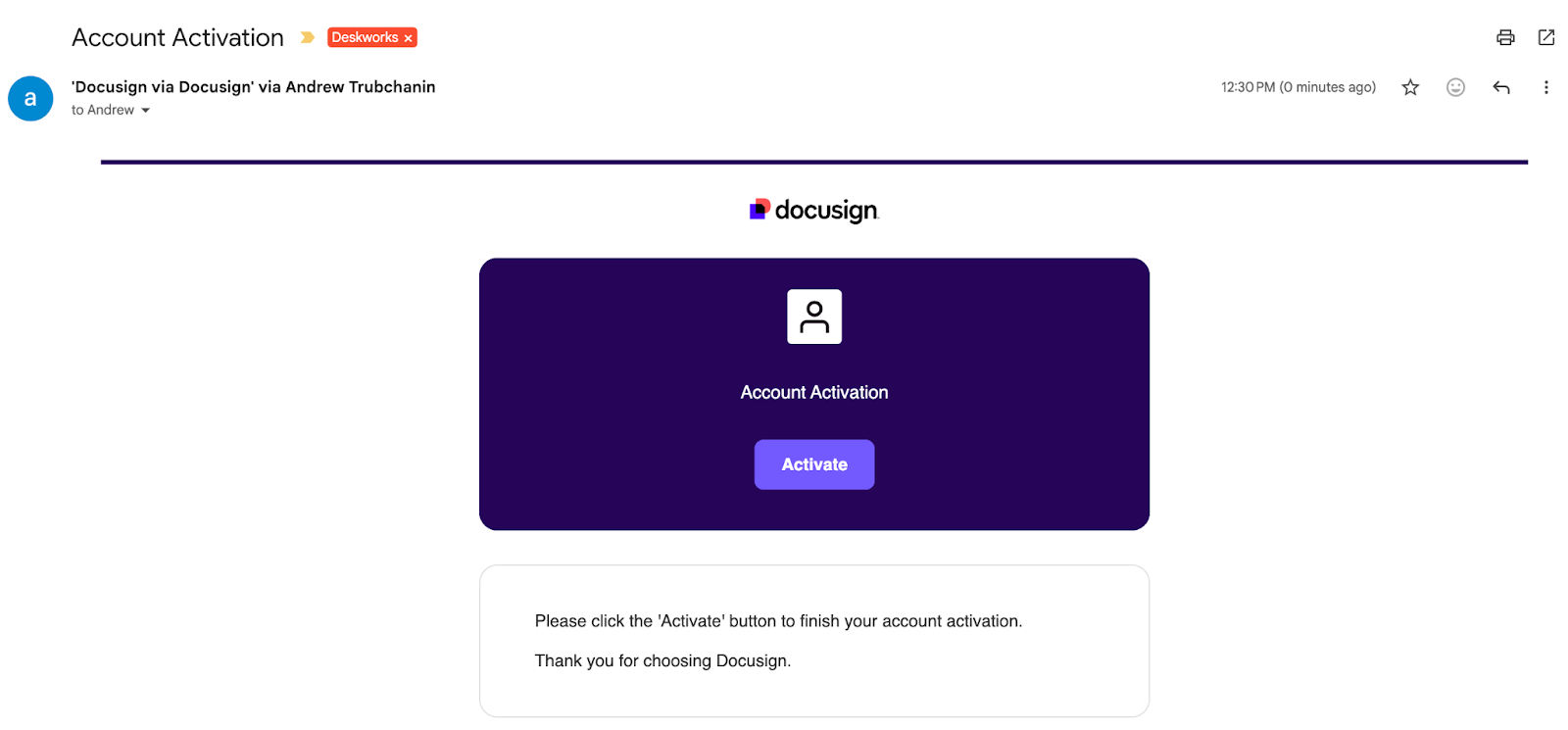
- You will receive an activation email from Docusign. Click Activate .
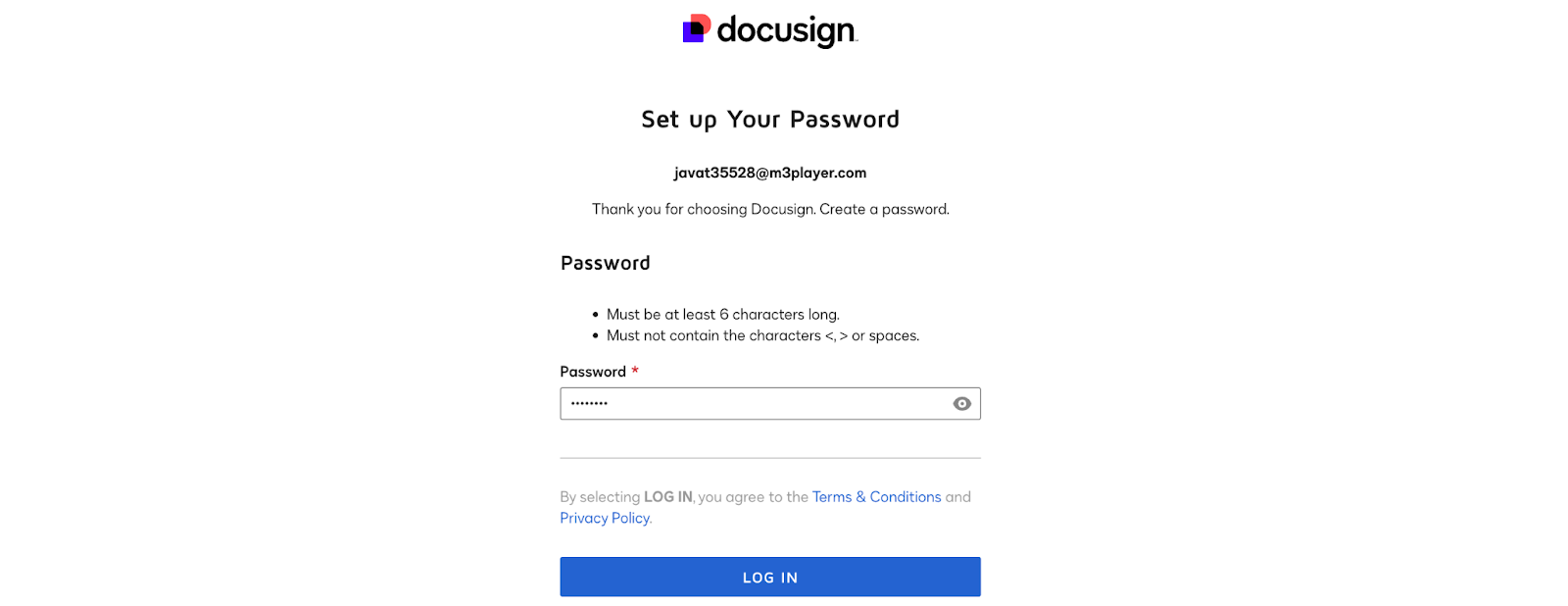
- Follow the instructions to create your account and set a password.
Connect Deskworks to Docusign
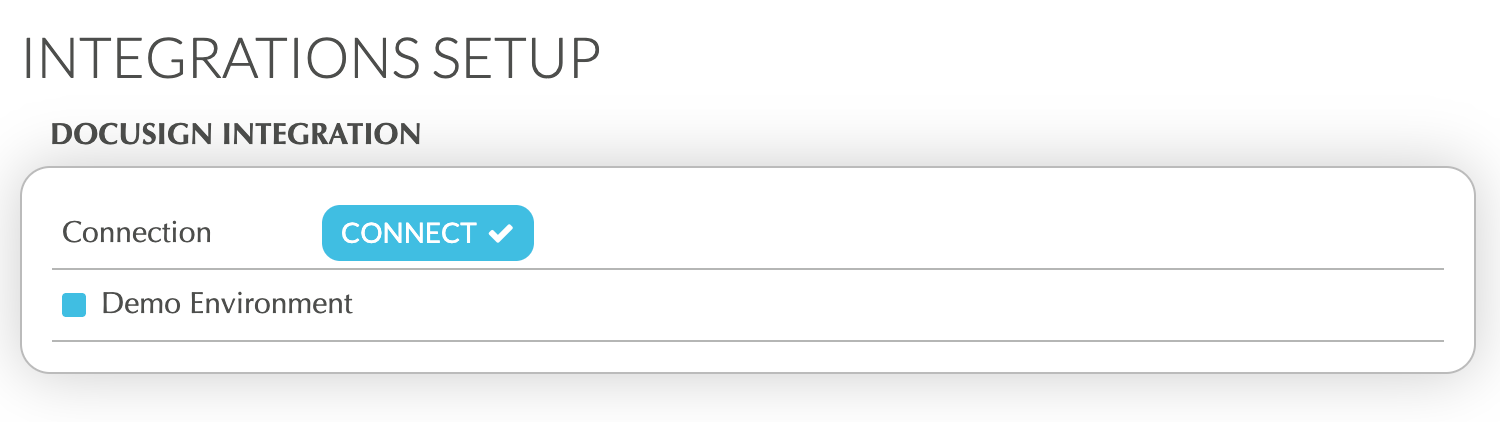
- In Deskworks, go to SETUP > INTEGRATIONS SETUP.
- Under Docusign Integration, check "Demo Environment", if you want to test the integration without incurring any charges for sending test envelopes.
- Click "CONNECT".
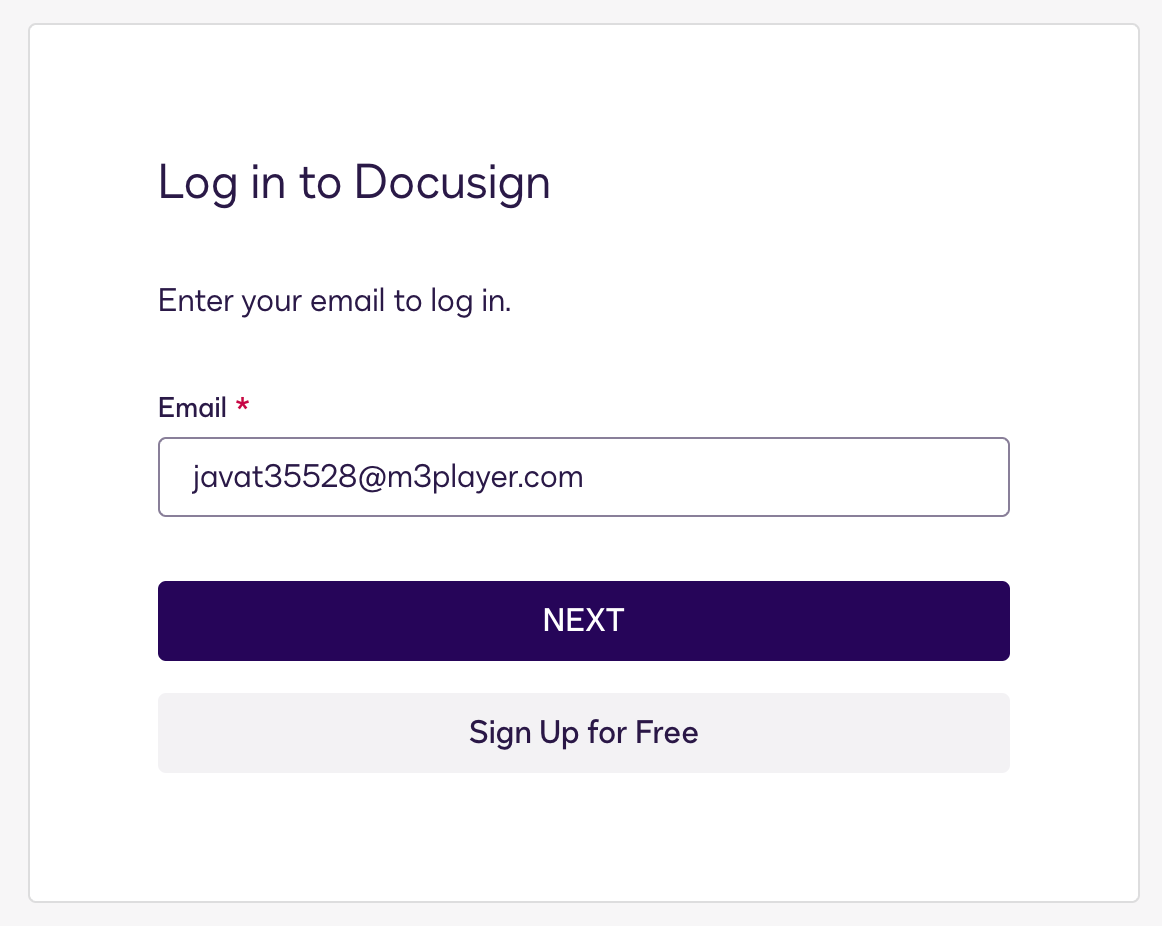
- Log in to Docusign using the email address and password you just created.
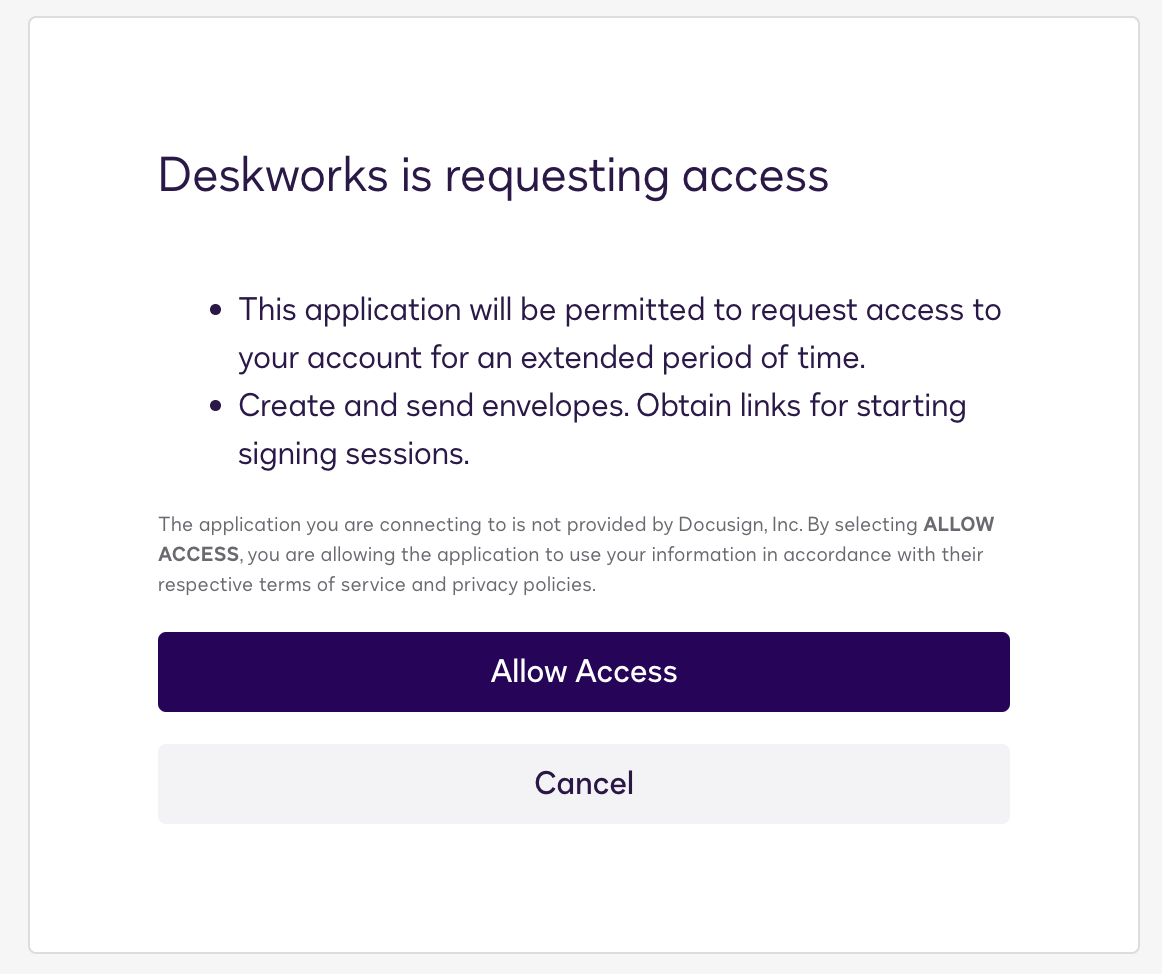
- Click "Allow Access".
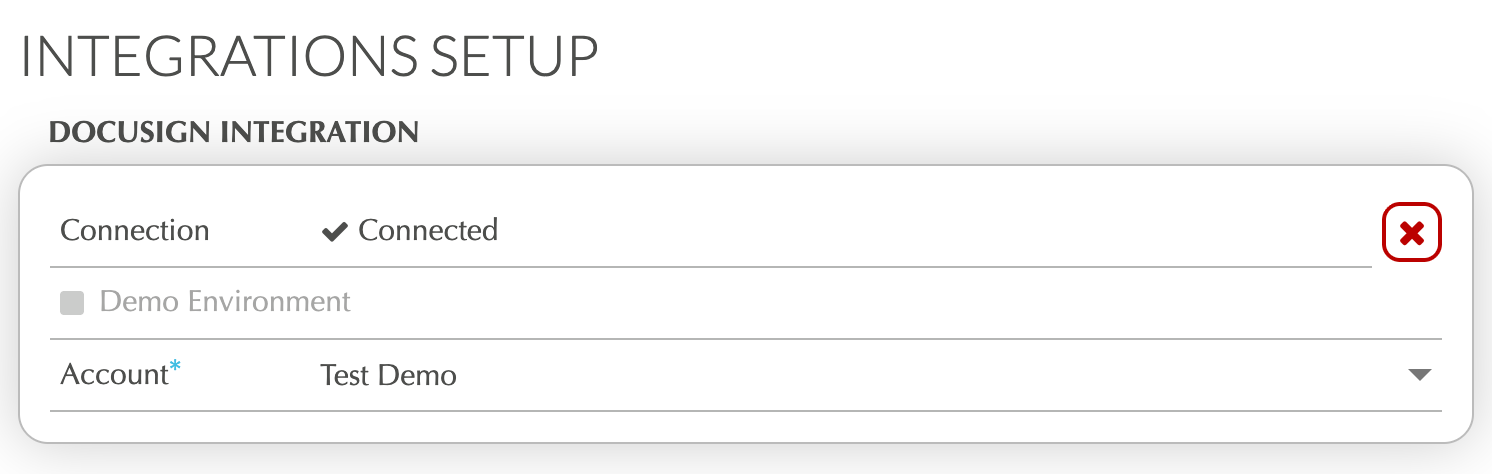
- Return to Deskworks and select the correct account from the Account dropdown.
Testing and Production
Once connected, you can send envelopes for signature from BILLING > PROPOSALS/CONTRACTS.
Learn how to send envelopes:
Sending Proposals & Contracts for Signature →
When Demo Environment is enabled, envelopes are free and used for testing only.
When you are ready to begin sending real agreements, you can disconnect the demo account and connect your production account. To do this:
- Go to SETUP > INTEGRATIONS SETUP
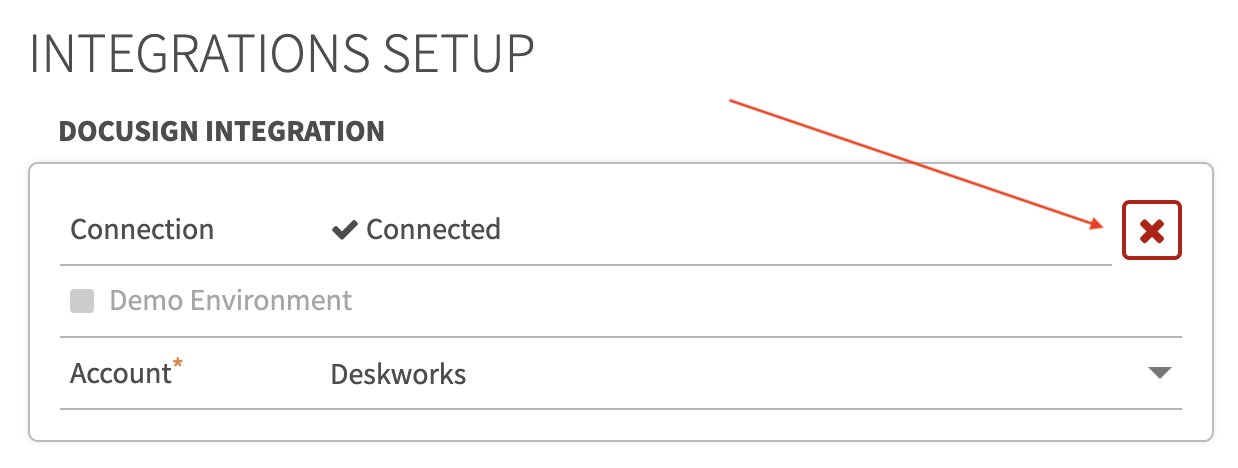
- Click the red 'X' to disconnect the Docusign integration
- Uncheck Demo Environment
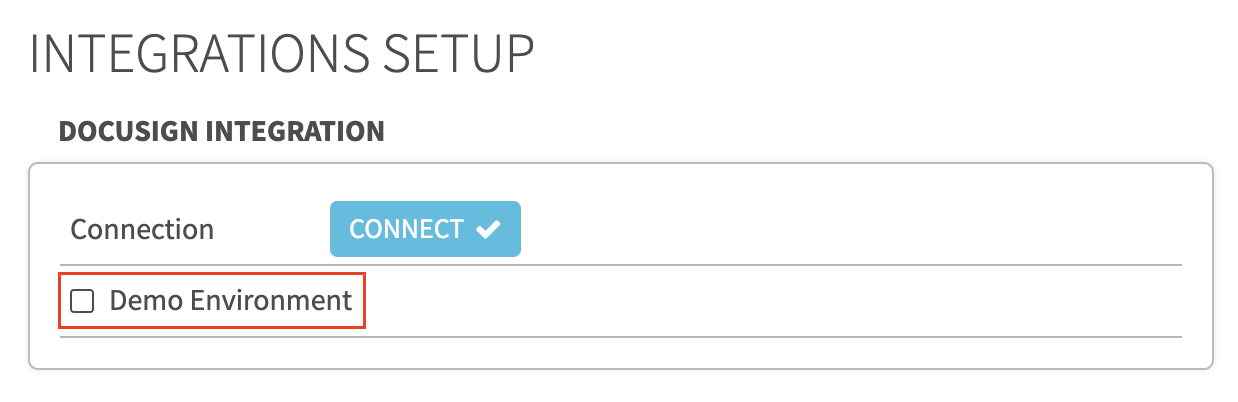
- Click CONNECT and login, following steps 3-6 from the previous section "Connect Deskworks to Docusign"
Production envelopes will count toward your Deskworks or Docusign provided envelope plan.
Learn more about envelopes:
What is an Envelope in Docusign? →
Switching Between Demo and Production Accounts
You can switch between your Demo and Production accounts at any time by following the steps above to disconnect and reconnect the integration.
When reconnecting, check or uncheck Demo Environment to select the account you want to authenticate.
Please note that your Demo and Production accounts are separate accounts managed by Docusign. Although we set them up using the same email address, the passwords for each account may be different.
If you do not know your password or need to reset it, you can do so directly through Docusign. If you need assistance, please reach out to our Support team and we’ll be happy to help.
Related Articles
Was this article helpful?
That’s Great!
Thank you for your feedback
Sorry! We couldn't be helpful
Thank you for your feedback
Feedback sent
We appreciate your effort and will try to fix the article